One Simple Hack to Improve Your Website’s Performance
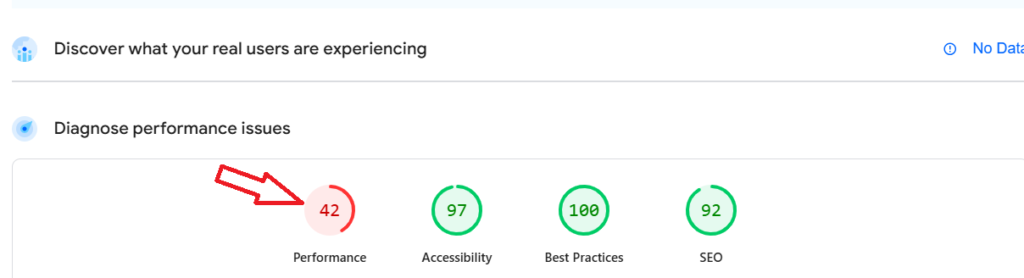
Do you want to transform your website’s performance from something like this:
To this:
Simply install and activate the FastPixel plugin. Of course, this is assuming your website is built on WordPress.
A Backstory
I recently launched my website a few months back. You know, I did all the basic SEO stuff like fixing broken links, compressing images, and setting up redirects.
But one day, it dawned on me that I hadn’t tested my website to get an idea of how it performed. Right away, I plugged it into PageSpeed Insights, and got this:
I didn’t need a soothsayer to figure out something had gone amiss.
At first, I tried the LiteSpeed Cache plugin. Nothing much changed, after which I deactivated it. Then I tried the FastPixel plugin, and instantly my site’s performance improved, as you can see below:
Felt like magic, really.
But there’s a catch. I noticed FastPixel blocked off the Google Tags I installed on my website. This made it almost impossible to track conversions on my website. You should keep this in mind if you intend to install the plugin.
Ready to build a website that attracts sales?
Your business deserves a website that looks professional, loads fast, and helps you win more customers. I am the right guy for the job.