
One of the beauties of building your website using WordPress is that it takes away the need to know how to code. Heck, you don’t even need to know a lick about CSS or JavaScript to knock out a stunning website.
When it comes to designing sites on WordPress, you basically have two choices:
- Get a theme you like, install, activate, and tweak it here and there until it suits your taste
- Build a custom design from scratch or use a base theme
If you want a unique design that stands out, you will need a page builder. You can either use the default Gutenberg page builder or use an advanced builder like Elementor. Of course, this is not to say that Elementor is the only page builder on the market, but we will be focusing on it.
What is Elementor
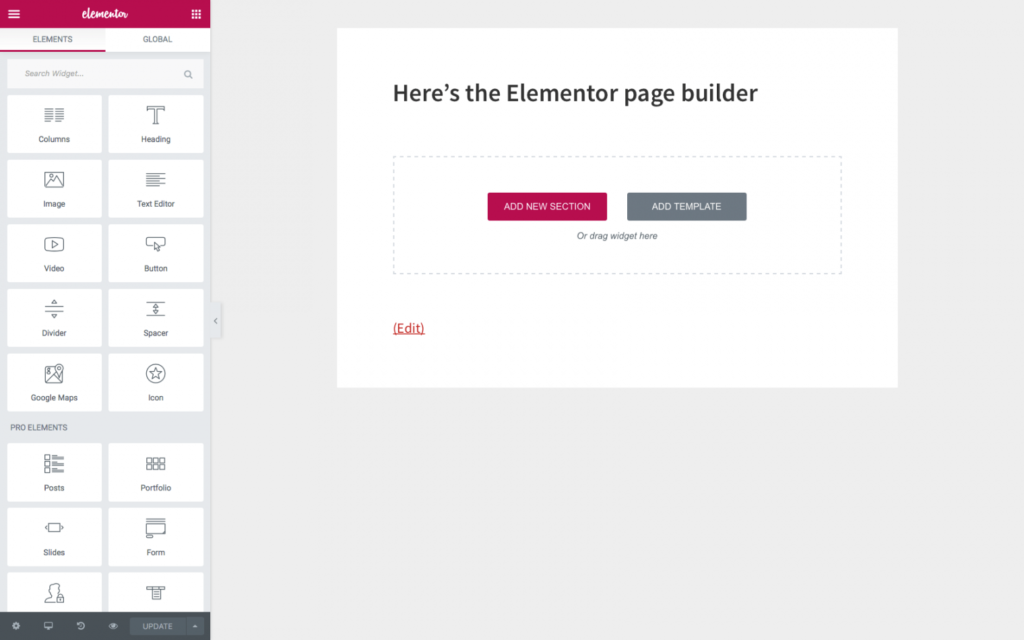
I am assuming that you know what Elementor is. But if you don’t, that’s fine.
Elementor is basically a website builder. It comes with pre-built components like columns, sections, tables, toggles, buttons, etc., that you can drag, drop, and customize to your heart’s content.
Essentially, Elementor makes it easy to build a custom website on WordPress. But there’s a catch!
Pros and Cons of Using Elementor
Making life easy for you while you build your site on WordPress is one of Elementor’s many pros. But it does have its cons. Let’s start with the pros.
Pros
- Makes building custom websites very easy
- Near unlimited customizations
- Comes with advanced functions and features
- Components are optimized for mobile right out of the box
- Gives you the option of customizing your site on different screen sizes, allowing you to hide or add new components on mobile
- Integrates with several plugins and WordPress solutions
Cons
- Elementor can hamper the performance of your site, making it load more slowly. This is not surprising, considering the amount of extra code it injects into your site in the backend while you customize it.
- It isn’t totally free. While you can use it for free, certain features are only available in the pro version.
- Limited features. Another thing you might not like about Elementor is that some of its features are limited, meaning you might not get exactly what you are looking for. Oftentimes, you will need to install a complementary plugin to make up for this gap.
For instance, I wanted to create a slide component on the site I was building the other day. While Elementor had a slider component, it was far from what I had in mind, even though I was using the pro version. I needed to install a slider plugin to achieve my goal.
And you know, the more plugins you have on your site, the slower it loads.
Wrapping it Up
Despite these drawbacks, I am still a huge fan of Elementor.
The reason is that if I decide not to use Elementor, I am left with two options: use the default Gutenberg builder, which is severely and annoyingly limited. Alternatively, I could use a different builder like Divi or Breakdance, both of which have their limitations as well.